Wednesday, January 21, 2015

9-2 Embedding Digital Texts


Digital Texts
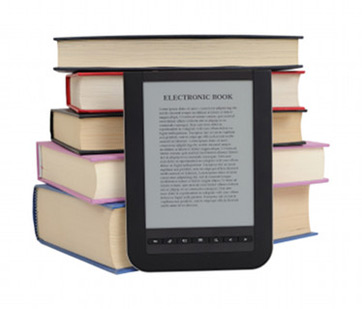
     Digital textbooks are now available through a variety of websites and applications. Students can download digital textbooks directly to their e-readers, iPads, nooks, tablets, or kindles. According to module nine (n.d), Apple has partnered with publishers to put their content onto iOs devices with a a new iTextbooks app. In the future, more and more schools may utilize electronic books instead of traditional ones. The Department of Education is trying to help K-12 schools transition from the use of hard-cover texts to digital texts (Module nine, n.d).
     There are multiple uses and benefits toward having digital textbooks in the classroom. CAST (2015) notes that traditional textbooks are formed on the premise that one size fits all. However, we now know this not to be true, and is a significant disadvantage to traditional books (CAST, 2015). Digital texts offer a variety of features that can help students. For example, the content can be separated from the display (CAST, 2015). In other words, students can focus on text or images, depending on what they are studying. The display can be manipulated by the user to help focus their attention. Another great advantage to digital texts is that they can be read aloud by the device (CAST, 2015). Digital books can be used by people with vision loss, as well as for students who tend to get distracted. Digital textbooks can also decrease the load that students have to carry on their backs.

E-Learning
     Many students in today's education system participate in e-learning opportunities. Students who use the internet to gain access to information can work at their own pace, set their own class schedules, and challenge themselves with AP or elective courses. E-learning is a great option for students who do not typically succeed in the traditional education setting.
     Burfield (2011) argues that one way teachers can effectively teach through e-learning is by utilizing cloud tools. Cloud computing uses the Internet and remote servers as a place of storage for data and applications. Users can access information from many devices because the information is stored in the cloud. This is very helpful for e-learning in many ways. For example, in this graduate course we use BlackBoard as our learning platform. All of my work is stored on BlackBoard (as well as Chalk and Wire) so that if I need to access something I have previously turned in, I can download it again from BlackBoard. Students in junior high and high school can use the cloud in a similar way. For example, students can use Google Apps for Education to communicate, collaborate, and store assignments and information (Burfield, 2011). Students at my school also use Google Apps as the storage for their e-Portfolios.

Open Course Software
     Open course software are contributing to successful transformations of the education system by expanding the opportunity for users to gain access to materials and resources (Bonk, 2009). Over the years, the amount of free courses and software that is available has grown significantly. Users can now access this information to enhance their own lives. Bonk (2009) also notes that open course software creates a place for users to collaborate, communicate, and create in creative ways. The greatest part is that most open course software is free! Education will continue to expand with the existence of open course software.

References


Bonk, C. (2009). The world is open. San Francisco, Calif.: Jossey-Bass.


Burfield, C. (2011, Apr 24). Going the distance: Extending face-to-face learning through cloud tools. YouTube. Retrieved from https://www.youtube.com/watch?v=2AVI8uwlNMA


Module nine: The world of anytime/anyplace learning (n.d.). Retrieved from bb.snhu.edu

Thursday, January 15, 2015

8-2: Building Media Literacy

     One of the most important things today's teachers need to ensure they integrat into their curricula is the building of media literacy skills. Media literacy is described as the ability to access, analyze, evaluate, and produce communication in a variety of forms (Sheilbee & Rogow, 2008). Media literacy education truly began in the United States Students in the 1970s with an emphasis on keeping students safe, and has since evolved into lessons on critical thinking and media production (Scheilbe & Rogow, 2008). Those students who possess the necessary skills in media literacy will become more successful in the 21st century because they will be more prepared for the global world they now live in.
     Media literacy is important for a variety of reasons. First, media literacy teaches students how to be safe and cautious on the Internet. Media literacy also teaches students to use their judgement, critical thinking, and evaluate the information presented to them. Students can also discover valuable lessons in producing messages that can be both positive and negative. All of these skills are crucial for success in this day in age.
     Students need to learn how to make safe, informed decisions when utilizing the Internet (EAVI Channel, 2013). Students must understand that there are a variety of unknown, uncontrollable factors that exist on the Internet. Students need to know how to watch out for any potential dangers, recognize them when dangers are present, and know the proper steps to staying safe. Media literacy skills will help students recognize these potential dangers and keep them safe.
     In expanding their horizon about media literacy, students learn how to think critically about the messages they are presented with (Scheilbe & Rogow, 2008). Students learn not to trust everything they see or hear, and develop an awareness of issues of credibility (Scheilbe & Rogow, 2008). Teachers can support media literacy skills such as this one across the curriculum by teaching about the difference between fiction and non fiction. Is everything you see or hear necessarily true? Or is it fiction?
     Another important skill students learn is how to create both positive and negative messages. Students who use technology are capable of sharing ideas and thoughts with others around the world (EAVI Channel, 2013). However, students must learn how to share appropriate, respectful messages instead of hurtful ones. Teachers can model how to put out media messages and inform students of the topics that are appropriate to share with others (Module eight, n.d.). 
     There are many simple ways for teachers to integrate media literacy skills into their curriculum to enhance the success of 21st century students. Scheilbe & Rogow (2008) describe a variety of methods of media literacy integration. One of my favorites is designing assessments that require more than one type of media source. Students could be asked to research using newspapers, online articles, and scholarly journals. Students could then present their information in different ways (presentations, word clouds, or digital stories) and gain experience in utilizing different types of media (Scheilbe & Rogow, 2008). Teachers must acknowledge and integrate media literacy skills into their curriculum in order to help students become as successful as possible.

References
EAVI channel (2013, Jan 29). EAVI EN- A journey to media literacy. YouTube. Retrieved from https://www.youtube.com/watch?annotation_id=annotation_455085&feature=iv&src_vid=99SZ2zVCDb0&v=CmY_H5DjSEM

Module eight: Media literacy in a 21st century global society (n.d.). Retrieved from bb.snhu.edu

Scheilbe, C. & Rogow, F. (2008). 12 Basic ways to integrate media literacy and critical thinking into any curriculum (3rd ed.) Ithaca, NY: Project Look Sharp.